Free AI Accounting Tools for Singapore SMEs (2026)

The free AI accounting tools Singapore SMEs can try from IMDA's new list are Xero and QuickBooks Online (30-day free trials) and Odoo (one app free for unlimited users), plus four payroll and HR tools: Deel Payroll, Gusto, BambooHR and Remote.
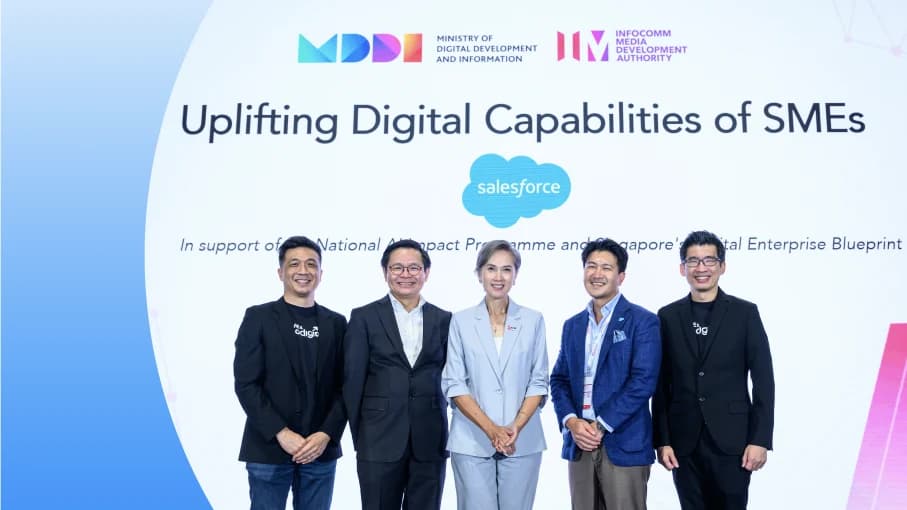
On 13 October 2026, IMDA added an AI Tools page to the SMEs Go Digital portal: 116 global tools, each with a free tier or free trial. Seven sit in finance, HR and ERP. This guide covers all seven: what each does, what the free option really is (checked on each vendor's pricing page in October 2026), where Singapore payroll support falls short, and what a free tool still leaves for your finance team to do. For the full list and the new programmes, start with our guide to IMDA's 116 free AI tools.
Key takeaways
- Two accounting tools offer 30-day trials: Xero and QuickBooks Online each let you try every feature free for 30 days, then you pick a paid plan.
- Odoo is the only free-forever option: Its One App Free plan gives one app, such as Invoicing or Accounting, to unlimited users at no cost.
- Check Singapore payroll before anything else: IMDA marks BambooHR as not supporting Singapore payroll, and Gusto is built for US payroll.
- Free tools do the bookkeeping, not the handoffs: Matching bank lines, chasing approvals and moving data from WhatsApp or email into the ledger still need someone, or a workflow built around your rules.
- These are not grant-supported: IMDA's AI Tools list is separate from the pre-approved solutions that qualify for the EDGE Grant.
Which free AI accounting tools are on IMDA's list?
IMDA lists seven tools under finance, HR and ERP. Here is how they compare, with the free option as stated on each vendor's site in October 2026.
| Tool | Best for | Free option (Oct 2026) | Standout feature | Watch out for |
|---|---|---|---|---|
| Xero | Small businesses and their accountants | 30-day free trial of all features | JAX, Xero's AI finance partner; AI-marked auto-reconcile | Auto-reconcile is an add-on on the Starter plan |
| QuickBooks Online | Owner-run businesses wanting AI help with expenses and invoices | Free for 30 days on every plan | Intuit Intelligence: anomaly detection on Plus and Advanced; chat insights (beta) | Intuit says AI outputs are English only for now |
| Odoo ERP | SMEs that want sales, stock and accounts in one system | One App Free: one app, unlimited users, no time limit | Grows into a full ERP as you add apps | Adding a second app moves you to a paid plan |
| Deel Payroll | Teams hiring or paying people across borders | IMDA shows a free trial available; check the vendor's current terms | Employer of record in 130+ countries | Pricing page offers a demo, not a self-serve trial |
| Gusto | Companies with US employees | Set up free; pay nothing until you run payroll | Payroll, benefits and HR in one place | Built for US payroll, not Singapore CPF |
| BambooHR | Growing teams that need HR records and onboarding | 7-day free trial | AI assistant that answers HR questions from your data | IMDA marks SG payroll as not supported |
| Remote | Hiring in countries where you have no entity | No free plan on its pricing page; check Remote's current terms | Employer of record in 90+ countries | Global Payroll needs your own local entity |
How we chose these tools and what 'free' means here
We did not pick these tools. IMDA did, describing the list as curated from multiple sources, considering signals of market adoption, generally positive user sentiment and relevance to local SMEs' needs. Every tool on it has a free tier or a free trial and links to the vendor. They are not pre-approved solutions, so buying one does not qualify for grant support.
We then opened each vendor's own pricing page in October 2026 and wrote down the free terms as stated. Where a vendor's page did not show the free option IMDA refers to, we say so rather than guess. Prices change often, so treat every term here as accurate as of October 2026.
Two kinds of free matter. A free plan (Odoo's One App Free) has no end date but limits what you can do. A free trial (Xero, QuickBooks Online, BambooHR) gives you the full product for a fixed number of days, then asks you to pay. For accounting, a trial is enough to test one real month of your own transactions, so plan the trial around your month-end.
Xero: is it the best free trial for Singapore SMEs?
Xero is cloud accounting built for small businesses and the accountants who serve them. In Singapore it is common among firms that outsource their books, because your accountant can log in to the same file. Xero's Singapore pricing page offers all features free for 30 days before you choose a plan.
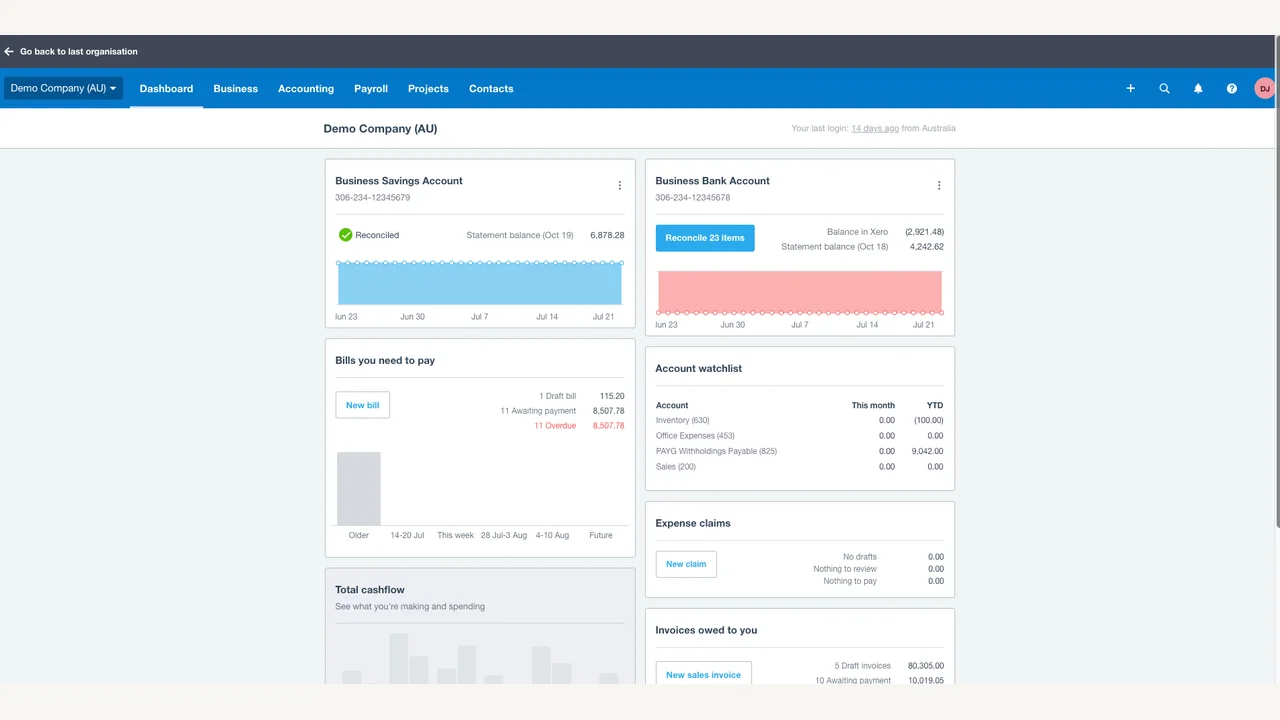
The AI features are where Xero has moved fastest. Its pricing page names JAX, which it calls an AI finance partner, plus Smart Document Capture on every plan and an AI-marked auto-reconcile on Standard and Premium (an add-on on Starter). For a café or a clinic with a few hundred bank lines a month, auto-reconcile is the feature to test hardest during the trial.
The honest limit: the trial ends after 30 days, and the cheaper plan does not include auto-reconcile by default. Check which features you need before you pick a plan. Biks works on top of Xero every day; we explain how sales flow into it in WhatsApp sales into Xero.
QuickBooks Online: what does the free trial include?
QuickBooks Online is Intuit's cloud accounting product. Its Singapore pricing page shows every plan (Simple Start, Essentials, Plus and Advanced) as free for 30 days. One catch from the page: if you take the discounted Buy Now offer instead, you are not eligible for the 30-day trial.
Intuit's AI layer is called Intuit Intelligence. The pricing page lists chat for instant insights (in beta), smart expense organisation, custom automations (beta), bulk invoice creation (beta), and AI insights with anomaly detection on the Plus and Advanced plans. A renovation contractor billing many small jobs would get the most from bulk invoicing and expense sorting.
Watch for two limits. Intuit notes its AI outputs are currently in English only, and several features carry a beta label. Finance AI is listed only on the Advanced plan and not with multicurrency switched on, which matters if you invoice overseas clients in USD.
Odoo ERP: is the free plan really free forever?
Odoo is an open-source business suite with separate apps for accounting, invoicing, inventory, sales, CRM and more. Its pricing page describes One App Free as one app with unlimited users, hosted on Odoo Online, free forever. Apps your chosen app depends on come free too.
That makes Odoo the only option on this list with no end date. A logistics SME could run Odoo Inventory for the whole warehouse team without paying per user. The standout is room to grow: you can add apps later and keep the same data.
The limit is the word one. Installing a second app moves you to the paid Standard plan, and adding Odoo Studio or extra companies moves you to Custom. Implementation help and custom code are not included in any plan, so budget time to set it up yourself or with a partner.
Which payroll and HR tools on the list support Singapore?

The four payroll and HR tools are all strong products, but three are built mainly for the US or for cross-border hiring. Check Singapore support first.
- Deel Payroll: Deel runs payroll and employer-of-record services, and its pricing page cites coverage in 130+ countries. Deel's own Singapore guides describe CPF and IRAS obligations, and it offers payroll through a PEO if you already have a Singapore entity. The pricing page offers a free demo, while IMDA's listing shows a free trial available for Deel Payroll, not a free tier; check the vendor's current terms. Best for: a logistics SME or agency with staff in several countries.
- Gusto: Gusto is payroll, benefits and HR for US companies. Its own pages say you can set up your account and pay nothing until you run payroll. Gusto's help centre says paying non-US contractors requires a US-based employee or contractor on the account first, so it does not fit a Singapore-only business running CPF payroll.
- BambooHR: BambooHR is an HR system for employee records, time off, onboarding and performance. Its site offers a free trial for seven days. Its paid tiers include an AI assistant that answers everyday HR questions from your company data. IMDA marks it SG Payroll: Not Supported, and BambooHR's pricing page says its payroll covers US employees only, so pair it with a Singapore payroll provider.
- Remote: Remote offers employer of record in 90+ countries and Global Payroll for countries where you own the entity. Its pricing page lists no free plan, so check Remote's current terms before you count on a free option. Best for: hiring your first employee in a new market without setting up a company there.
If your whole team is in Singapore, the practical answer is usually a Singapore payroll provider for CPF and payslips, with one of the HR tools above only if you need richer records. A 40-person clinic group gets more from clean leave and onboarding records than from a global payroll engine.
How do you choose the right one for your business?
Start from the job you need done, not the brand. This table matches common Singapore SME situations to the tool worth trialling first.
| Your situation | Try first | Why |
|---|---|---|
| Your accountant already uses Xero | Xero | Same file for you and your accountant; test auto-reconcile on your own bank feed |
| You do your own books and send many small invoices | QuickBooks Online | Bulk invoices and expense sorting suit owner-run businesses |
| You need stock and accounts together, on a tight budget | Odoo (one app free) | Free for unlimited users if one app covers the job |
| You hire or pay staff overseas | Deel or Remote | Employer of record and cross-border payroll |
| You have 20+ staff and messy HR records | BambooHR | Records, leave and onboarding; pair with local payroll |
| You have US employees | Gusto | Built for US payroll and benefits |
Whichever you pick, run the trial on real data from one full month. Decide before you start what result would make you pay: hours saved on reconciliation, invoices out faster, or fewer errors at month-end. Our assistants guide covers the general AI tools you might use alongside these.
What do free AI accounting tools not do for you?
- Getting the data in: Orders confirmed on WhatsApp, supplier invoices in a shared inbox and receipts on someone's phone still need to reach Xero or QuickBooks in the right format.
- Your own rules: Which customer maps to which account, which project a payment belongs to, when a deposit counts as revenue. A free tool ships with general rules, not yours.
- Approvals: Who signs off a supplier payment over a set amount, and where that approval is recorded, is your process, not a software default.
- Exceptions: Auto-reconcile handles the easy matches. Partial payments, combined transfers and missing references still land on someone's desk.
- Someone accountable: When a match is wrong at month-end, a free tool has no person on call. Somebody has to own the result.
Accounting software is the ledger. It is not the work that happens before data reaches the ledger or after a report leaves it. That gap is where most SME finance hours go.
Tool on its own vs tool + Biks
Both are good choices for different situations. Here is a fair side-by-side.
| Accounting tool on its own | Accounting tool + Biks | |
|---|---|---|
| Setup | You sign up and configure it yourself | Biks maps your current process and builds around it |
| Connects to WhatsApp, email, Sheets | Through the vendor's app store, if a connector exists | Built in as part of the workflow |
| Your matching and approval rules | General rules you adjust by hand | Your rules written into the workflow, with approvals kept |
| Exceptions | Your team reviews them in the tool | Flagged with a suggested match for a person to approve |
| Who runs it day to day | Your finance team | Biks runs and maintains it; your team approves |
| Cost model | Free tier or trial, then subscription | One-time build plus monthly subscription, compared with hiring an admin |
| Best when | Volumes are low and your books are simple | Many transactions, several entities or handoffs across tools |
How Biks can help with finance and accounting
Biks works on top of Xero, QuickBooks and the spreadsheets you already keep. We build the workflow around them: bank lines matched to invoices using your rules, supplier invoices read from email and entered for approval, and a message to the finance lead when a project milestone is ready to bill. For one professional-services firm, a single run matched 297 of 297 billing lines across 18 projects. In another setup, 126 of 128 transactions matched without a person touching them, and the two exceptions went to a reviewer.
If your month-end still means a week of spreadsheets, see how finance and accounting automation works, read why month-end close runs late, or book a call and we will map one workflow with you. Most go live in weeks. For the wider picture of free tools and grants, see the full IMDA free AI tools guide and our workplace tools guide.
Sources
- IMDA: 30 SMEs recognised at inaugural SME AI Impact Awards (press release, 13 Oct 2026)
- IMDA: Artificial Intelligence Tools | SMEs Go Digital
- Xero: Pricing Plans | Xero SG
- Intuit QuickBooks: QuickBooks Online Singapore pricing
- Odoo: Odoo Pricing
- Deel: Pricing | Transparent & Fair Pricing | HRIS Costs | Deel
- Gusto: Free payroll software setup
- Gusto: Add and pay non-US (international) contractors
- BambooHR: BambooHR Plans and Pricing
- BambooHR: Small Business HR Software | BambooHR
- Remote: Global workforce platform pricing & plans | Remote
- Enterprise Singapore: EDGE Grant
Common questions
- What free AI accounting tools does IMDA list for Singapore SMEs?
- IMDA's AI Tools page, launched on 13 October 2026, lists seven finance, HR and ERP tools: Xero, QuickBooks Online, Odoo ERP, Deel Payroll, Gusto, BambooHR and Remote. As of October 2026, Xero and QuickBooks Online offer 30-day free trials and Odoo offers one app free for unlimited users. The list is curated by IMDA and is separate from grant-supported pre-approved solutions.
- Is Xero free for small businesses in Singapore?
- Not permanently. As of October 2026, Xero's Singapore pricing page offers all features free for 30 days, after which you choose a paid plan. Xero has no ongoing free plan. If you want an accounting tool with no end date, Odoo's One App Free plan gives one app, such as Invoicing, to unlimited users at no cost.
- Can I run Singapore payroll with Gusto or BambooHR?
- Not for Singapore employees. IMDA marks BambooHR as not supporting Singapore payroll, and BambooHR's own pricing page says its payroll covers US employees only. Gusto is built for US payroll. For CPF contributions and Singapore payslips, use a Singapore payroll provider, or check Deel, whose Singapore guides cover CPF obligations.
- Do IMDA's free AI tools qualify for the EDGE Grant?
- No. The 116 tools on IMDA's AI Tools page are curated global tools with free tiers or trials, not pre-approved solutions. Grant support of up to 50% of qualifying costs applies to pre-approved solutions under the EDGE Grant, which replaced PSG, EDG and MRA from 30 September 2026 for Singapore-registered SMEs with at least 30% local shareholding.
- Can AI reconcile bank transactions in Xero or QuickBooks?
- Partly. As of October 2026, Xero marks auto-reconcile as an AI feature on its Standard and Premium plans, and QuickBooks Online lists AI expense organisation and, on its Plus and Advanced plans, anomaly detection. Both handle clear matches well. Partial payments, combined transfers and missing references still need a person, or a workflow built around your own matching rules with a reviewer approving exceptions.